Is Your Website Getting Referral Spam?

Lately I’ve noticed a huge increase in spam referrals in my Google Analytics, along with the Analytics of clients’ accounts I manage.

What is referral spam?
Referral spam is the web traffic your Analytics system references as referrals to your website. It’s often easy to identify referral spam, as it typically doesn’t make sense to have a link from these websites to your own.
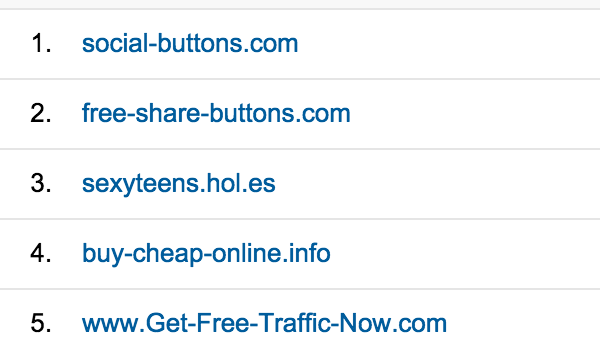
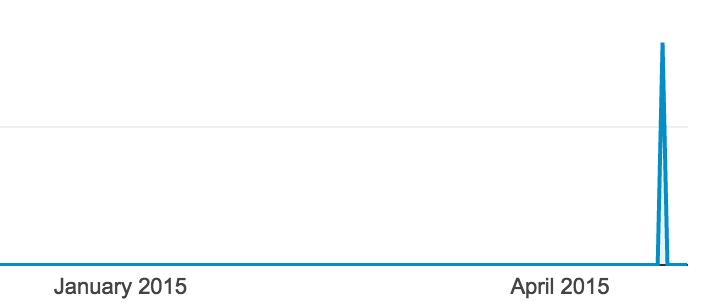
If you drill down further, you might see that traffic from these sites spikes to several hundred visits on a single day or over just a few days. More often than not, this traffic doesn’t continue over an extended period of time.
What’s the problem with referral spam?
First of all, don’t worry. There’s nothing that these spammers are inherently doing to your website. They aren’t hacking into it by creating referral spam. They are, however, trying to get you to click through to their website. So, whatever you do, do not click the referral spam links from your Google Analytics.
As this article puts it:
The clear intent is to cause webmasters to go to an unfamiliar site when they see a reference in their Google Analytics reports. Whether the motivation is to generate traffic to their site or to cause webmasters to visit a site that will download malware is unknown.
The second issue with referral spam is that it is skewing your Google Analytics data. With even a few instances of several hundred visitors apiece from referral spam and your data will be extremely altered for the month.
How to get rid of referral spam
Ideally, it would be easiest to block this traffic in your .htaccess file. However, since many of these spam visits aren’t actually visiting your website, this won’t always be successful.
Instead, you can follow a number of options in this post. There are additional solutions in this post and more specific walk-throughs in this post. These resources also have great, comprehensive lists of the most prominent referral spam addresses.
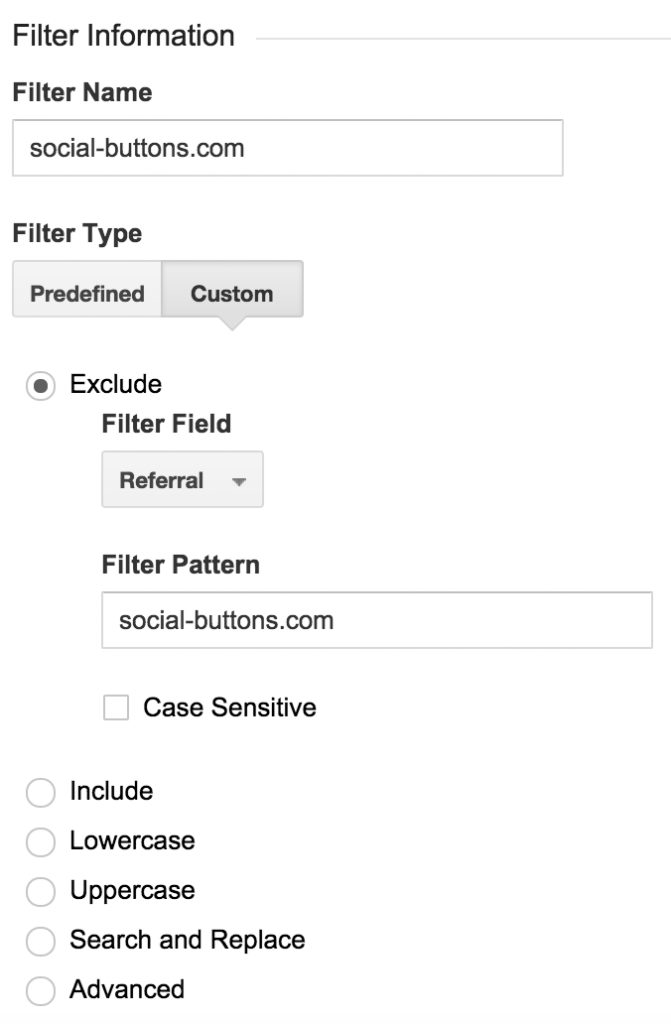
The most simplistic way to block referral spam (and block it for good) is to add a filter for each source.
- Go to Admin > View > Filters.
- Add the name of your filter (I like to use the name of the site).
- Choose “custom.”
- Choose “referral” in the Filter Field.
- Add the spam referral web address in the Filter Pattern.
- Click Save.