
How to Set Up Google Analytics Goals the Right Way

Did you know that Google Analytics will track conversions for you?
That way, you’ll be able to specifically see where new customers are coming from and why. Then you can spend more time on what’s working and improve (or stop) the efforts that aren’t getting you any customers.
Long story short, if you aren’t already using Google Analytics goals, you’re missing out.
Setting up your Analytics goals can be difficult and confusing – depending on the goal – so be sure to follow the steps below to ensure you’re accurately tracking.

Define your goal
Start by defining the goal you have in mind. Does a conversion count as…
- Contact forms completed?
- Visits to a unique page?
- Sales for a product or service?
Defining a clear goal will ensure clear measurements through Analytics.
Define your goal completion
This is often the part that we see clients struggle with. After you’ve defined a clear goal, make sure you follow it up with a unique goal URL or completion that will support it.
- Will visitors land on a “thank you” page as a result of filling out your contact form? (This is your goal URL.)
- Will visitors go to a unique page thanks to a mailer or an ad? (This is your goal URL.)
- Will visitors land on a unique page after making a purchase? (This is your goal URL.)

DIY Your Search Engine Optimization with the Ultimate SEO Checklist
Check, check, check. That’s the sound of you checking off your SEO to-do list. Don’t miss a single opportunity optimizing your website and web presence by leveraging the Ultimate SEO Checklist.
Create your goal
Navigate to your Goals settings by going to Admin > View > Goals. Then click “+ New Goal.”

Follow the template options, or create your own. Template options include:
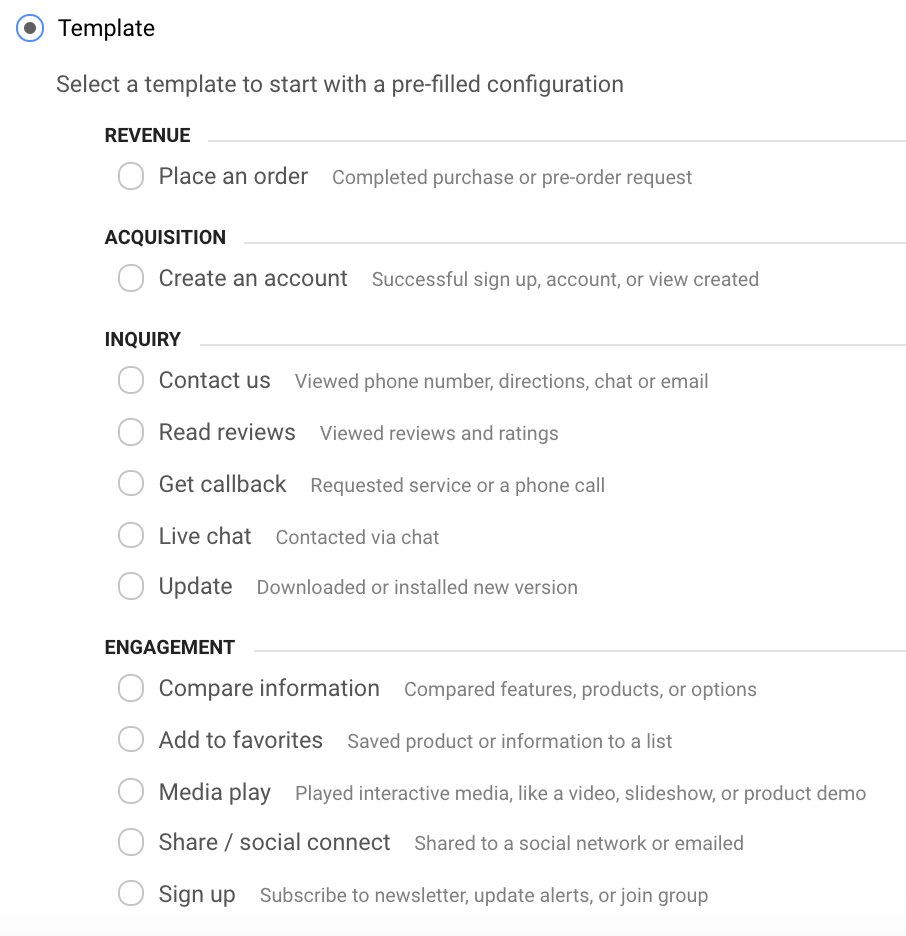
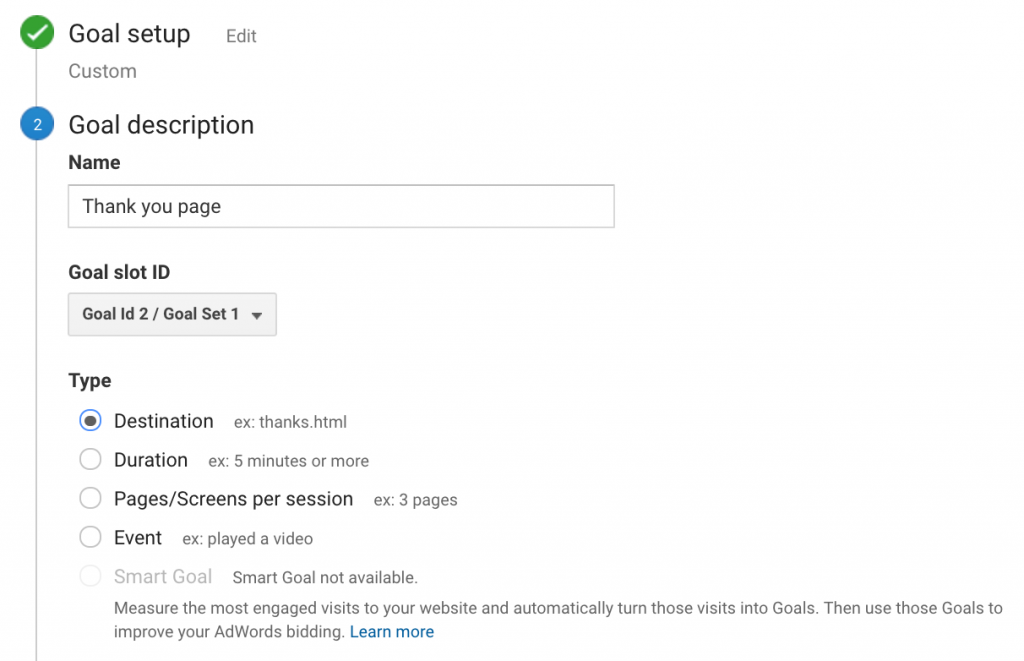
If you want to create a goal to a specific landing page, such as a “thank you” page, simply choose “Custom,” choose a name for the goal, and (in this case) choose “Destination.”
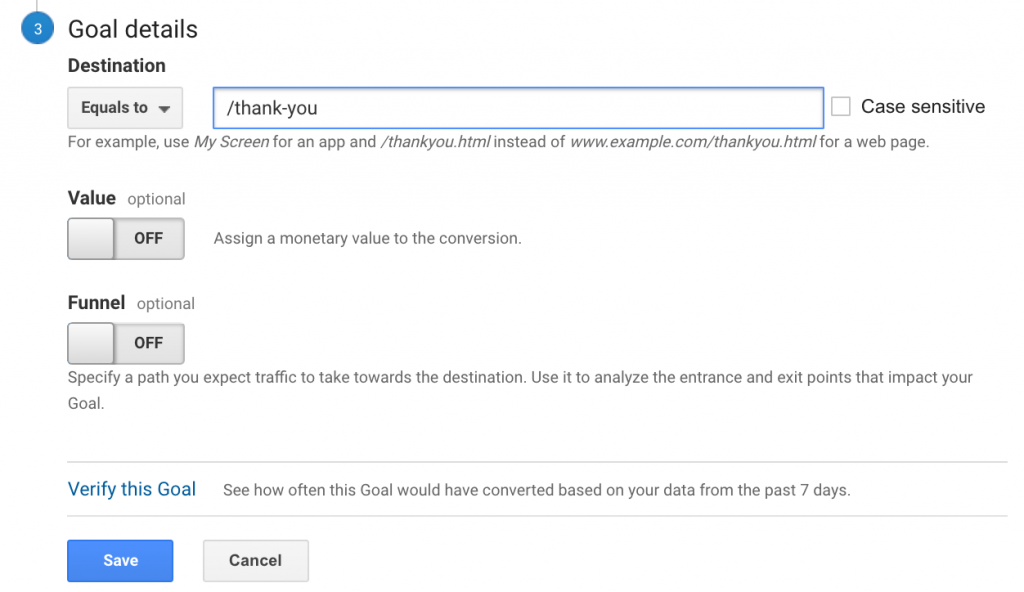
Then, enter the URL of your goal (e.g. “/thank-you”). Verify the goal is correct by clicking the link at the bottom to “Verify this goal.”
Take your goals to the next level
You can also enter an approximate value for the goal. For example, if you estimate that every one out of ten contact forms filled out ends up equating to one sale, every contact form completed has an approximate value of [Your average sale]/10. This way, you can put a number to the goal.
What’s more is you can backtrack your goals. Not only will you see more information through the goals area, but you can also backtrack through all your measurements.
For example, you can view how many goal completions you had for Organic Search traffic.
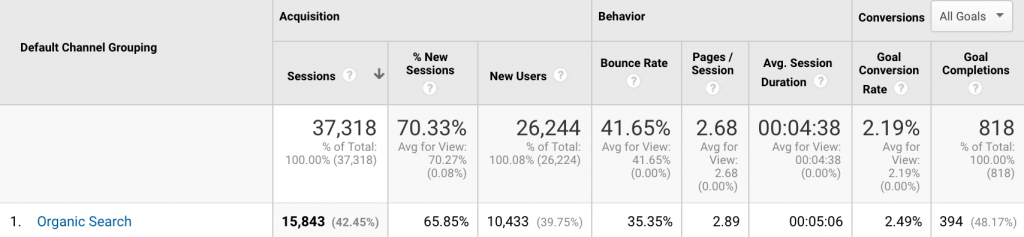
You can see how this data becomes invaluable when it comes to tracking what marketing efforts are building your business – and which ones aren’t.
How do you use goals for your website? If not, what’s the first goal you will create?