
Why You Aren’t Seeing Your Optimized Title Tag in Google Searches

When it comes to Search Engine Optimization, one of the best things you can do for your business’s website is optimize your title tags.
Before we get into why you aren’t seeing your title tags in a Google search, let’s cover a little background on titles.

What is a title tag?
Your title tag is the text that shows up at the top of your browser window next to the minimize, maximize, and close buttons.

Search engines use your title tag as one of the largest indicators of what your page is about. So, as you can imagine, it holds a lot of weight to how well that page ranks in the search engines for given terms.
In addition to the top of your browser, your title tag will also show up as the blue text on a search engine result.

So, title tags are equally important for your searchers when they are picking from their options on a Search Engine Results Page (SERP).
How do you edit your title tags?
Depending on your website platform, you may be able to change your title tag yourself…or you may need to ask your developer to do it for you.
Since we use WordPress, I can use a plugin (such as Yoast SEO) in order to alter title tags for pages or posts.
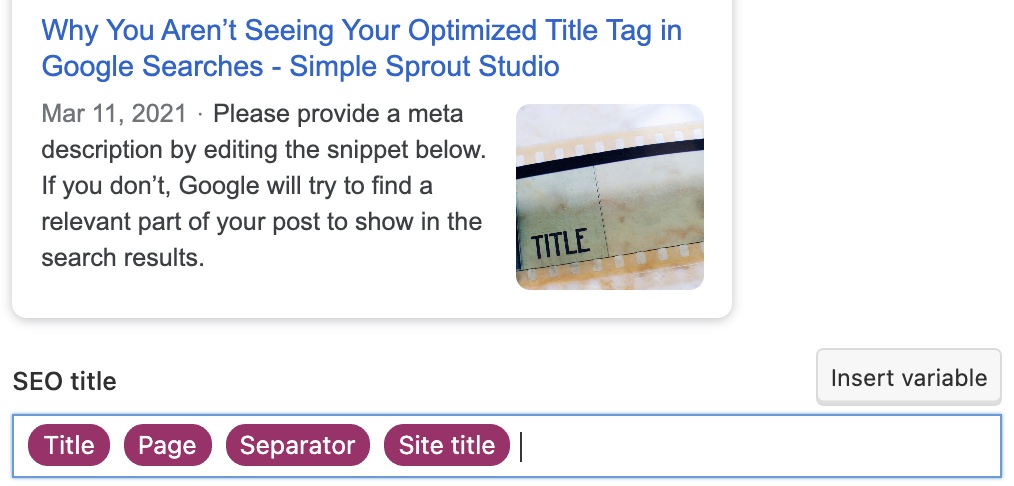
If you are using a different Content Management System (CMS), you may likely be able to alter your title tags, too. However, if your website is built on HTML, you may need to consult with your web developer.
Why is your title tag not showing up properly?
Ok, now the nitty gritty. We get this question from clients a lot: “why is my title tag not showing up properly on my website?” (It normally happens when you start Googling yourself.)
You saw our homepage title tag above. But when I search for “Nicki Ong,” this is what I get:
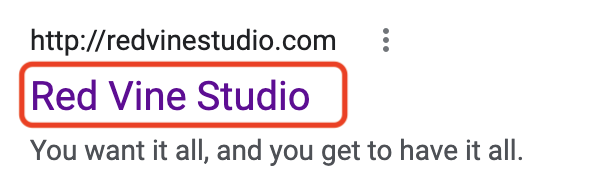
As you can see, that’s not my pretty optimized title.
In order to understand why I’m being served a different title on my Google search, you need to first understand a key part of Google’s algorithm. One of the main goals of the algorithm is to match my search as closely as possible with results.
In the first example, I forced the search (to be geeky, with a “site:[website] command” so that I could see my exact title tag. In the second example, I simply searched for “Nicki Ong.”
So, why might you sometimes see a different title tag than the one you chose?
Simply put: Google is trying to give you the best possible result for your search. You may also sometimes see the second half of your title tag, should it be longer than 65 characters.

DIY Your Search Engine Optimization with the Ultimate SEO Checklist
Check, check, check. That’s the sound of you checking off your SEO to-do list. Don’t miss a single opportunity to optimize your website and web presence by leveraging the Ultimate SEO Checklist.
NEW: Grab the Ultimate SEO Checklist for Web Designers/Developers, Digital Marketers, or Managers.
So, as long as you’ve optimized properly, don’t worry if you’re seeing a different title tag when you Google yourself.
ready for more?
We’ve got you covered…and we’ll keep it simple.
Every week, we’ll pop in your inbox with awesome SEO and blogging tips made easy.